
⏱️ Reading Time: 4 minutes
Receiving an autism spectrum disorder (ASD) diagnosis for your child often comes with unexpected financial pressures—from specialized therapies and sensory tools to taking time off work for clinical appointments.
While the Ontario Autism Program (OAP) core funding waitlist takes time to navigate, the Disability Tax Credit (DTC) offers immediate financial relief. Approved families can receive up to thousands of dollars per year through tax reductions and the tax-free Child Disability Benefit (CDB), plus retroactive refunds for up to 10 previous tax years.
Your exact, step-by-step guide to filling out Canada Revenue Agency (CRA) Form T2201
Here is your exact, step-by-step guide to filling out Canada Revenue Agency (CRA) Form T2201, securing required medical signatures, and successfully securing the DTC.
What Expert Advisors Say About the DTC
Understanding how the DTC interacts with federal tax policy and provincial autism programs can unlock thousands of dollars in funding. Here is what leading regional financial and tax specialists emphasize:
"The biggest myth parents have is that the DTC is based solely on a diagnosis. The CRA doesn't approve applications because a child has an ASD diagnosis; they approve it because of how the condition impacts mental functions necessary for everyday life—such as adaptive functioning, social interactions, and safety awareness on a daily basis." — David Muir, Founder of Disability Dreams Group a GTA-based Disability Tax Recovery Specialist serving Durham Region & Greater Toronto
"When you apply for the DTC, always check 'Yes' to request automatic tax adjustments for prior years on Part A of Form T2201. If your child was diagnosed at age seven but showed developmental traits since age two, the CRA can adjust up to 10 prior tax years. That retroactive payout often serves as an immediate bridge to fund private speech or occupational therapy while on the OAP waitlist." — Tax Advisory Team, My Benefits Canada an Ontario Disability Tax Credit Concierge Services
Step 1: Download & Complete Part A of Form T2201
Form T2201 is divided into two parts: Part A (completed by you, the parent/guardian) and Part B (completed by your medical practitioner).

Complete Part A of Form T2201 carefully before bringing it to your medical practitioner.
Obtain the Form: Download the latest accessible fillable PDF version of Form T2201 from the CRA Website
Section 1 (Person with Disability): Enter your child's legal name, date of birth, address, and Social Insurance Number (SIN). 3.
Section 2 (Supporting Family Member): Fill this out to claim the transferred disability amount on your income tax return. You must state that you provide basic necessities of life (food, shelter, clothing) on a regular basis.
Section 3 (Previous Tax Return Adjustments): Check the box asking CRA to automatically adjust your previous tax returnsThis triggers retroactive tax refunds and automatic enrollment in back-paid Child Disability Benefits (CDB).
Section 4 (Signatures): Ensure the primary parent or legal guardian signs with a handwritten signature.
Step 2: Work with Your Medical Practitioner on Part B
Part B must be completed and signed by a qualified medical practitioner. For autism spectrum disorder, the CRA accepts certifications from:
Registered Psychologists
Developmental Pediatricians / Physicians
Psychiatrists
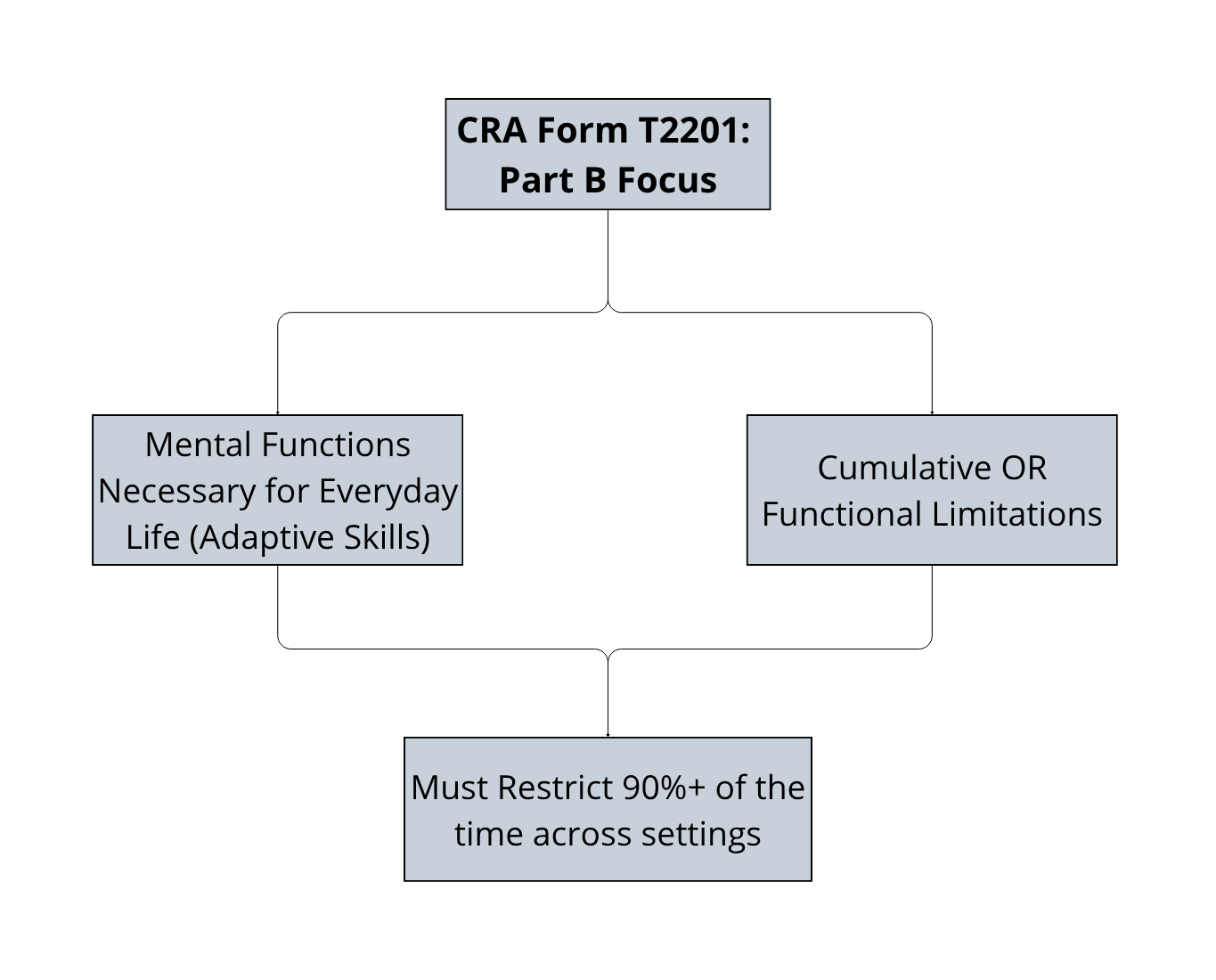
Key Rules for Part B Success:
Focus on Mental Functions: The doctor must complete the section titled "Mental functions necessary for everyday life".
Emphasize Adaptive Functioning: The practitioner needs to describe functional restrictions in areas like self-care, social interactions, health and safety awareness, impulse control, and executive functioning (focus, planning, switching tasks).
Marked Restriction Standard: The impairment must restrict the child markedly (at least 90% of the time), or represent a cumulative restriction equivalent to a marked restriction.
Specify the Year Impairment Began: Ensure the doctor enters the earliest year functional limitations began (often years prior to the formal diagnostic report date).
Pro Tip: Schedule a dedicated 15-minute appointment specifically for the DTC form. Bring examples or a "day in the life" log detailing daily support requirements across home, school, and community environments.
Step 3: Submit Your Application to Canada Revenue Agency
You can submit your completed Form T2201 to the CRA through two official channels:
Digital Submission (Fastest):
Complete Part A via the [CRA Digital Application Portal].
Generates a reference code for your doctor to complete Part B online, or allows you to upload scanned PDF copies directly through CRA My Account.
Mail Submission: Mail hard copies of Part A and Part B together to your designated CRA Tax Centre (for Ontario residents, usually the Sudbury or Jonquière Tax Centre).
Step 4: What Financial Supports Unlock Upon Approval?
Once approved, the DTC unlocks three major financial benefits:
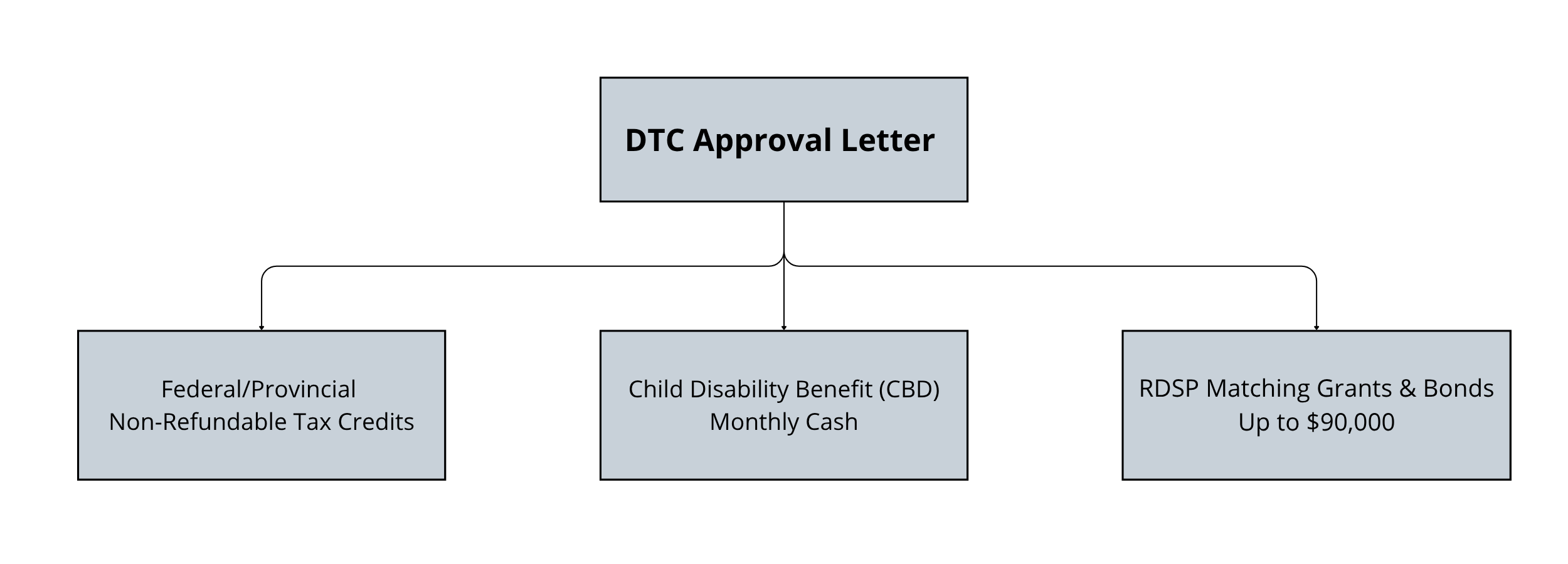
Annual Tax Savings: A non-refundable tax credit worth up to ~$3,000+ per year in combined federal and Ontario provincial tax reductions.
Child Disability Benefit (CDB): A monthly tax-free payment administered through the Canada Child Benefit (CCB). For the 2025–2026 benefit year, this provides up to $3,300+ per year ($275+/month) per child.
Registered Disability Savings Plan (RDSP): Unlocks government grants where Canada contributes up to $3 for every $1 you deposit (up to $70,000 in matching grants and $20,000 in bonds over your child's lifetime).
Common Reasons Applications Get Rejected (and How to Avoid Them)
Reason 1: Describing Diagnosis Instead of Function. Stating "child has Level 2 ASD" is not enough. The form must describe how autism affects daily adaptive functions (e.g., requires 1:1 supervision for safety, unable to dress without verbal prompts).
Reason 2: Unsigned Forms or Missing Credentials. Ensure both you and your medical practitioner provide handwritten/certified signatures and valid registration numbers.
Reason 3: Split Submissions. Sending Part A without Part B attached causes processing delays or file cancellations. Always submit both parts together.
Need Support Navigating Ontario Autism Services?
Once your DTC application is submitted, learn how to maximize your provincial supports by reading our companion guide on How to Register for AccessOAP: A Step-by-Step Guide for Ontario Families or join our next Understanding the OAP Workshop.
Disclaimer: Lake Ridge Community Support Services is not a financial, insurance, or tax expert. While this information is thoroughly researched and provided as a supportive guide, families should seek professional expert advice tailored to their specific financial or legal situation.